Dax
2026-10-27
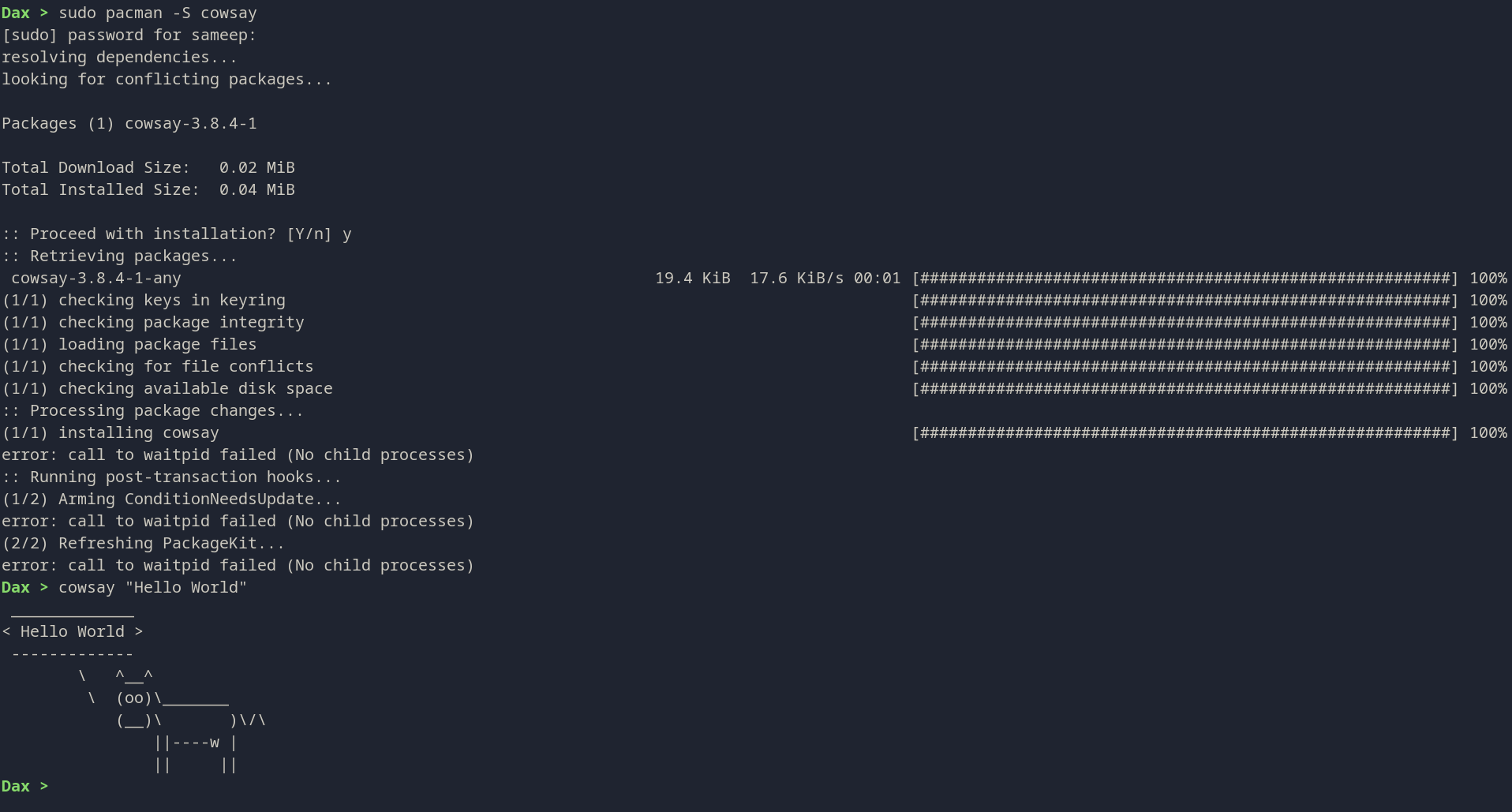
Github: https://github.com/sameepkat/dax
AUR: https://aur.archlinux.org/packages/dax-shell
Misc: https://www.linuxlinks.com/dax-shell-cli/
Dax is a custom Unix shell implementation written in C++. It provides a familiar command-line interface with support for standard shell features, including command execution, piping, redirection, and built-in commands.Features
Features
- Custom Prompt: Displays the current directory in green, with ~ expansion for the home directory.
- Command Execution: Run standard Linux commands (e.g., ls, grep, vim).
- Piping: Connect commands using pipes (|).
- Redirection: Support for input (<), output (>), and append (>>) redirection.
- Command Lists: Execute multiple commands sequentially using semicolons (;).
-
Built-in Commands:
cd: Change directory. pwd: Print working directory. echo: Print arguments to standard output. export: Set environment variables. alias / unalias: Create and remove command aliases. history: View command history. exit: Exit the shell. - History Management: Persistent command history saved to ~/.dax_history. Supports arrow key navigation (via readline).
- Signal Handling: Gracefully handles SIGINT (Ctrl+C).
Examples
Navigation and File Operations:
Dax > ls -la
Dax > cd ..
Dax > pwd
Piping and Redirection:
Dax > ls | grep cpp > sources.txt
Dax > cat sources.txt
History:
Dax > history
Dax > history 10  # Show last 10 commands
Environment Variables:
Dax > export MY_VAR=hello
Dax > echo $MY_VAR
How Dax Works
If you've ever typed a command into a terminal, you've used a shell. But have you ever wondered what's happening under the hood? How does the shell understand your commands, run programs, and manage input and output? In this blog post, we'll take a deep dive into the inner workings of a custom Unix shell called Dax. We'll explore its source code to understand how it implements core shell features like command execution, piping, and redirection.
The Heart of the Shell: The Main Loop
At its core, a shell is a simple program that runs in a loop. In each iteration, it does the following:
- Prints a prompt: This is to let the user know that the shell is ready to accept a command.
- Reads a line of input: The shell waits for the user to type a command and press Enter.
- Processes the command: The shell parses the input, figures out what the user wants to do, and then does it.
The main loop of the Dax shell is in the `main.cpp` file. It uses the `readline` library to provide a rich user experience with features like command history and arrow key navigation.
// main.cpp
while (true) {
    // 1. Print a prompt
    char* input = readline(prompt_str.c_str());

    // 2. Read a line of input
    if (!input) {
      std::cout << "\n";
      break;
    }

    line = input;
    free(input);

    if(line.empty()) continue;

    // 3. Process the command
    tokens = tokenize(line);
    if(tokens.empty()) continue;

    try {
        auto ast = parse(tokens);
        if (ast) {
            ast->execute();
        }
    } catch (const std::exception& e) {
        std::cerr << "Parse/Exec Error: " << e.what() << "\n";
    }
}
Breaking It Down: Tokenization
Before the shell can understand a command, it needs to break it down into smaller, more manageable pieces. This process is called tokenization. The tokenizer in Dax scans the input string and splits it into a sequence of tokens. For example, the command ls -l | grep cpp would be tokenized into ls, -l, |, grep, and cpp.
The tokenizer in tokenizer.cpp is implemented as a state machine. It can handle single quotes, double quotes, and special characters like |, ;, <, >, and >>.
## Making Sense of It All: Parsing and the AST
Once the input has been tokenized, the shell needs to make sense of the tokens. This is where the parser comes in. The parser takes the sequence of tokens and builds a data structure called an Abstract Syntax Tree (AST). The AST is a tree representation of the command that captures its structure and meaning.
For example, the command ls -l | grep cpp would be parsed into an AST that looks something like this:
    Pipe
   /    \
Command  Command
  |        |
ls -l    grep cpp
The Dax parser, implemented in parser.cpp, is a recursive descent parser. It has functions for parsing simple commands, pipes, and lists of commands. The parse function returns a std::unique_ptr<ASTNode>, which is the root of the AST.
Getting Things Done: Command Execution
After the AST has been built, the shell can execute the command by traversing the tree. The execute method is called on the root of the AST, which then recursively calls the execute method on its children.
Simple Commands
For a simple command like ls -l, the CommandNode::execute method is called. This method does the following:
- Handles Redirections: It sets up any input or output redirections.
- Checks for Built-ins: It checks if the command is a built-in command (like
cdorexit). If it is, it executes the built-in function directly. - Forks and Execs: If the command is not a built-in, it uses the
forkandexecvpsystem calls to run the command in a new process.
// CommandNode::execute in parser.cpp
pid_t pid = fork();
if (pid == 0) {
    // Child process
    execvp(c_args[0], c_args.data());
    perror("execvp");
    exit(1);
} else if (pid > 0) {
    // Parent process
    int status;
    waitpid(pid, &status, 0);
}
Pipes
For a command with a pipe, like ls -l | grep cpp, the PipeNode::execute method is called. This method does the following:
- Creates a pipe: It uses the
pipesystem call to create a pipe, which is a pair of file descriptors. - Forks two child processes: It forks two child processes, one for the command on the left side of the pipe and one for the command on the right.
- Sets up the pipe: The left child's standard output is redirected to the write end of the pipe, and the right child's standard input is redirected to the read end of the pipe.
- Waits for the children to complete: The parent process waits for both child processes to finish.
Bells and Whistles: History and Other Features
In addition to the core features we've discussed, the Dax shell also implements a number of other features, including: